string.sub(‘{wss}’,1,2)==‘24’ and ‘12’ or string.sub(‘{wss}’,1,2)==‘23’ and ‘11’ or string.sub(‘{wss}’,1,2)==‘22’ and ‘10’ or string.sub(‘{wss}’,1,2)==‘21’ and ‘09’ or string.sub(‘{wss}’,1,2)==‘20’ and ‘08’ or string.sub(‘{wss}’,1,2)==‘19’ and ‘07’ or string.sub(‘{wss}’,1,2)==‘18’ and ‘06’ or string.sub(‘{wss}’,1,2)==‘17’ and ‘05’ or string.sub(‘{wss}’,1,2)==‘16’ and ‘04’ or string.sub(‘{wss}’,1,2)==‘15’ and ‘03’ or string.sub(‘{wss}’,1,2)==‘14’ and ‘02’ or string.sub(‘{wss}’,1,2)==‘13’ and ‘01’ or
string.sub(‘{wss}’,1,2)
I am not seeing the problem, so we are going to need more information. Where is this statement located, and what environment is this being invoked? What watch and phone?
You do know that the sunset time is fixed on the web and phone. It is only dynamic on the watch itself, and only when the watch has the proper connectivity with the phone in order to receive the sunset time. Is other weather information showing correctly on the watch?
One other thing, your statement may be overly complex. For example, where I live (southern California) sunset is never before 4:50pm nor later than 8:15pm. so testing for other time values is not really necessary.
Try the formula below for WFF.
(tonumber(string.sub(‘{wss}’,1,2)) or 0)>12 and string.format(‘%02d’,string.sub(‘{wss}’,1,2)-12) or string.sub(‘{wss}’,1,2)
Some more explanation from Claude why the original syntax did not work:
Being straight with you: the difference isn’t the and/or pattern — your working formula uses exactly the same idiom, so that’s not what separates them. Two things do.
The concrete one. As you pasted it originally, the chain used curly quotes ('/') rather than straight '. That’s a hard syntax error — nothing evaluates, no value returned, same empty-field symptom you got from numberFormat. If that’s how it sits in the field, it fails before any WFF consideration enters into it.
The structural one. The chain does thirteen separate string comparisons, each re-substituting {wss}, and compiles down to thirteen nested ternaries in the emitted WFF. The working formula does one comparison and one subtraction. Studio’s compiler has to turn whatever you write into a valid WFF expression, and deeply nested conditionals are exactly where that gets fragile — same class of limit as Facer’s cap on boolean operators per formula.
I’d flag that second point as the likely culprit rather than the confirmed one — I haven’t seen it fail on your end, and you could settle it in about thirty seconds by pasting the original into the ƒx box with straight quotes and seeing whether it returns a value.
What the working formula gains regardless:
tonumber(...) or 0guards the nil case, so a8:15 PMlocale format degrades instead of erroring- Arithmetic (
-12) replaces a thirteen-row lookup table — same result, one operation %02drestores the leading zero that the subtraction strips
The caveat I’d keep in mind: string.sub and string.format passing the browser validator doesn’t guarantee the compiler emits working WFF for them, since WFF handles padding via numberFormat on its own side. Worth a Send to Watch before you commit to it — though since you’ve got the {wssp} version working, that’s the one I’d build on anyway. It sidesteps string handling entirely, which is the part of this that has to survive translation.
Thanks for responding.
The environment is studio designer on an android phone to a Samsung Galaxy8 classic watch. The designer sort of works. It removes the leading zero on single digits (ie. 18 returns 6 instead of 06). When this gets synced to the watch it says ‘COM’
Thanks for responding.
I tried:
string.format(‘%02d’,string.sub({wss},1,2)-12)
It still stripped off the leading ‘0’ and when synced to my watch it is blank.
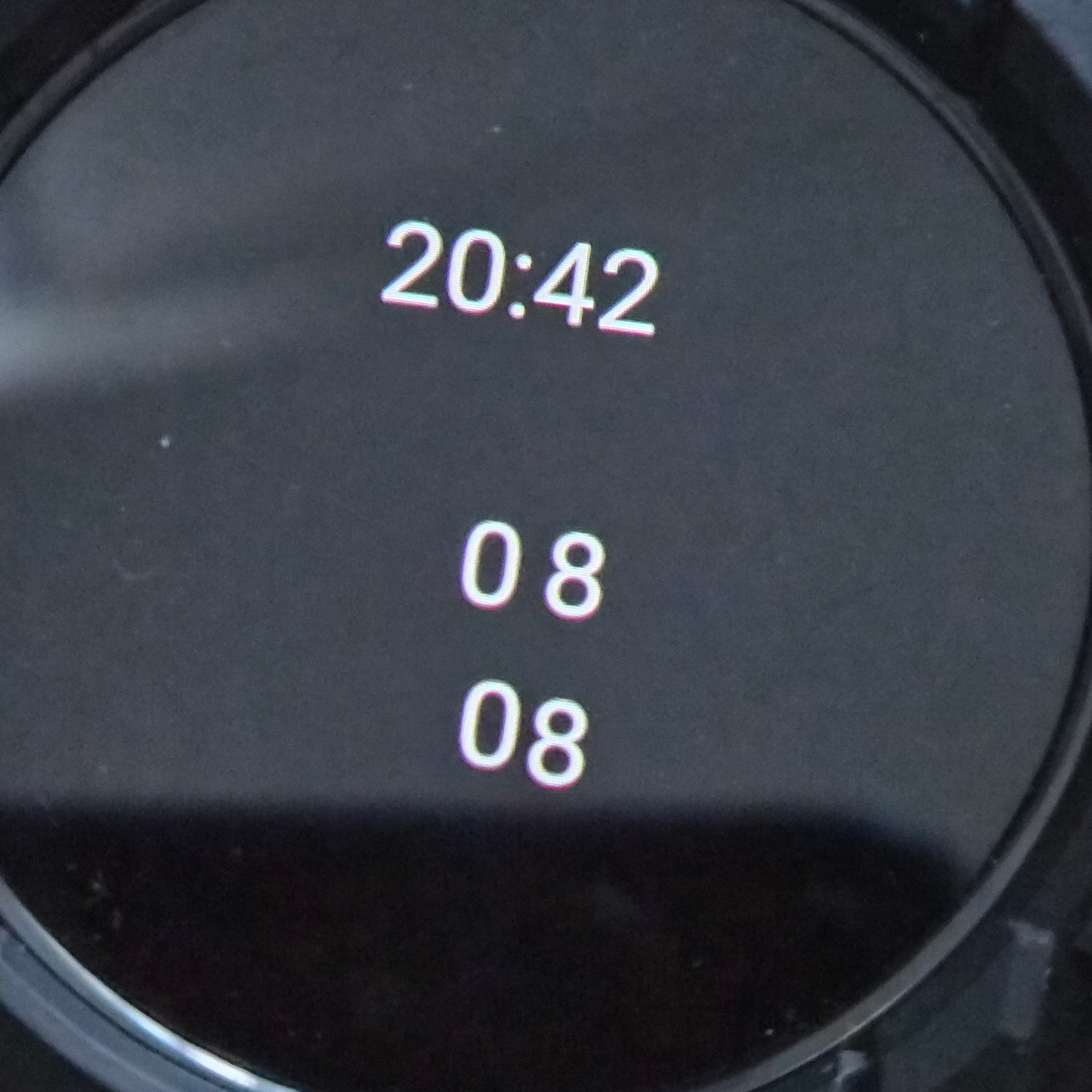
Thank you very much! That works great on my watch!
Thank you for that information you have supplied. I am still trying to figure out how the WFF engine is working, and this illminated it a little.
Inrterestingly, I was playing around and tried the following format statement, which in the WM studio works very well (returns the (default) sunset time of “06:30 pm”).
string.format(“%02d:%02d pm”,math.floor({wssp}*24)%12,math.floor({wssp}*1440)%60)
Unfortunately, on my Samsung Watch 8 Classic the above statement returns “error”. Alas, I guess the WFF engine cannot handle it.
Thank you for working on this.
Your code works perfectly in studio but I get the same ‘Error’ on my watch. Maybe they will get it fixed soon. It would be nice if we had an error code number to help with troubleshooting.
I dont see that formula working in WM Studio .
Make sure you replace the ’ when you copy and paste. This editor converts it wrong.
It changes it to " instead of ’
Ha Ha . Brilliant . Lots to learn . Thank you . I will give that another go in a bit .
.
Works perfect . Beautiful tutorial of Number to string . Much appreciated
Actually, my original source is using double quotes instead of single quotes. Both work, and using double quotes is a habit.
Still playing with this. It appears that WFF is not liking complex formats in the string.format’s format part. For example, tried:
string.format(“Title %s %s”, “{ddw}”, “{dd}”)
Works in WM Studio, not on watch (the proverbial “Error”).