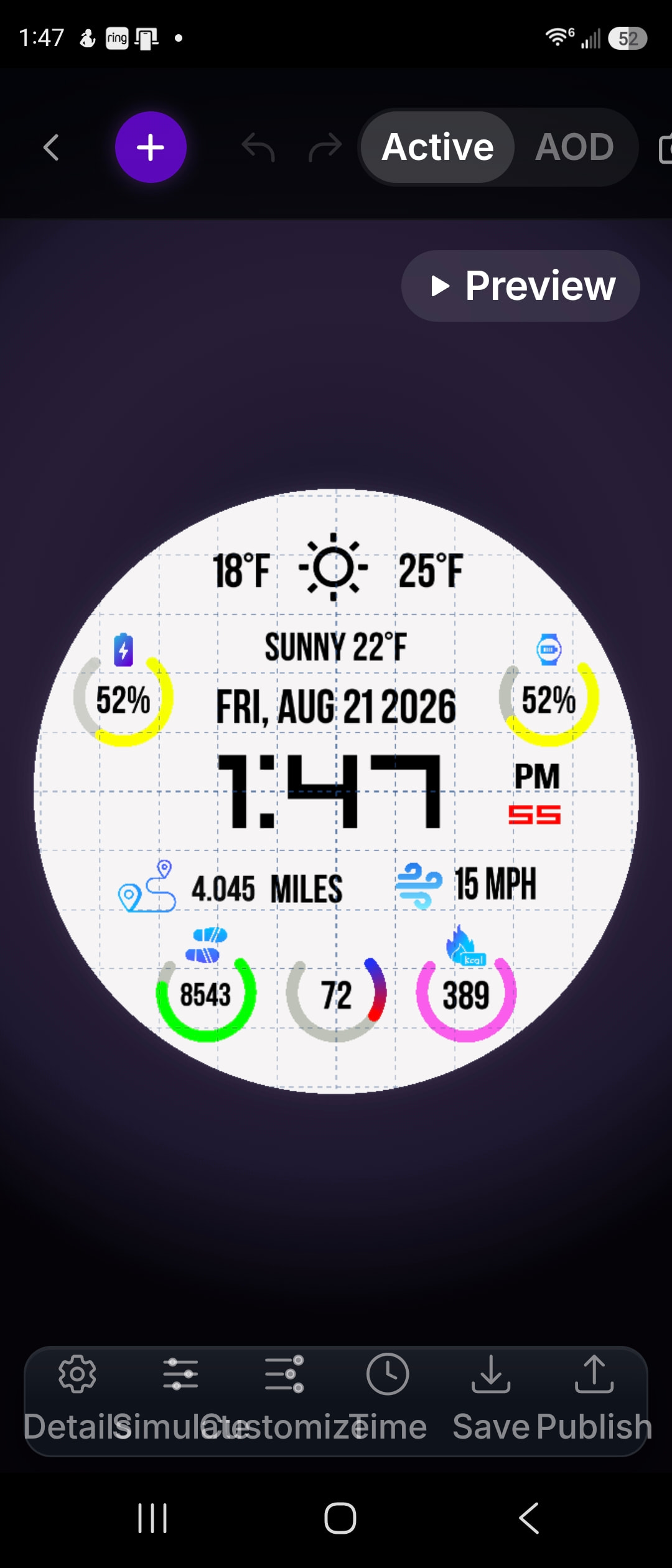
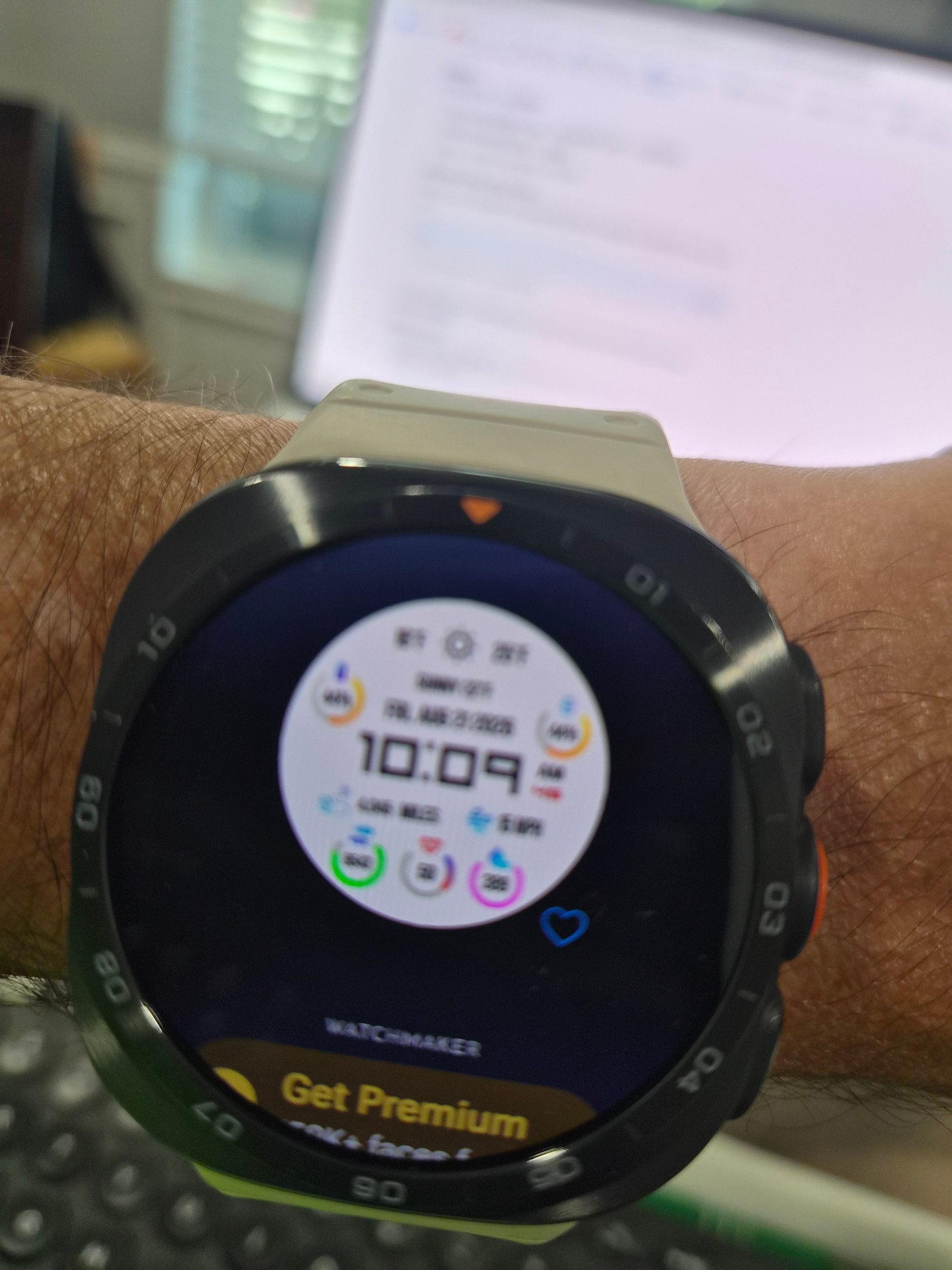
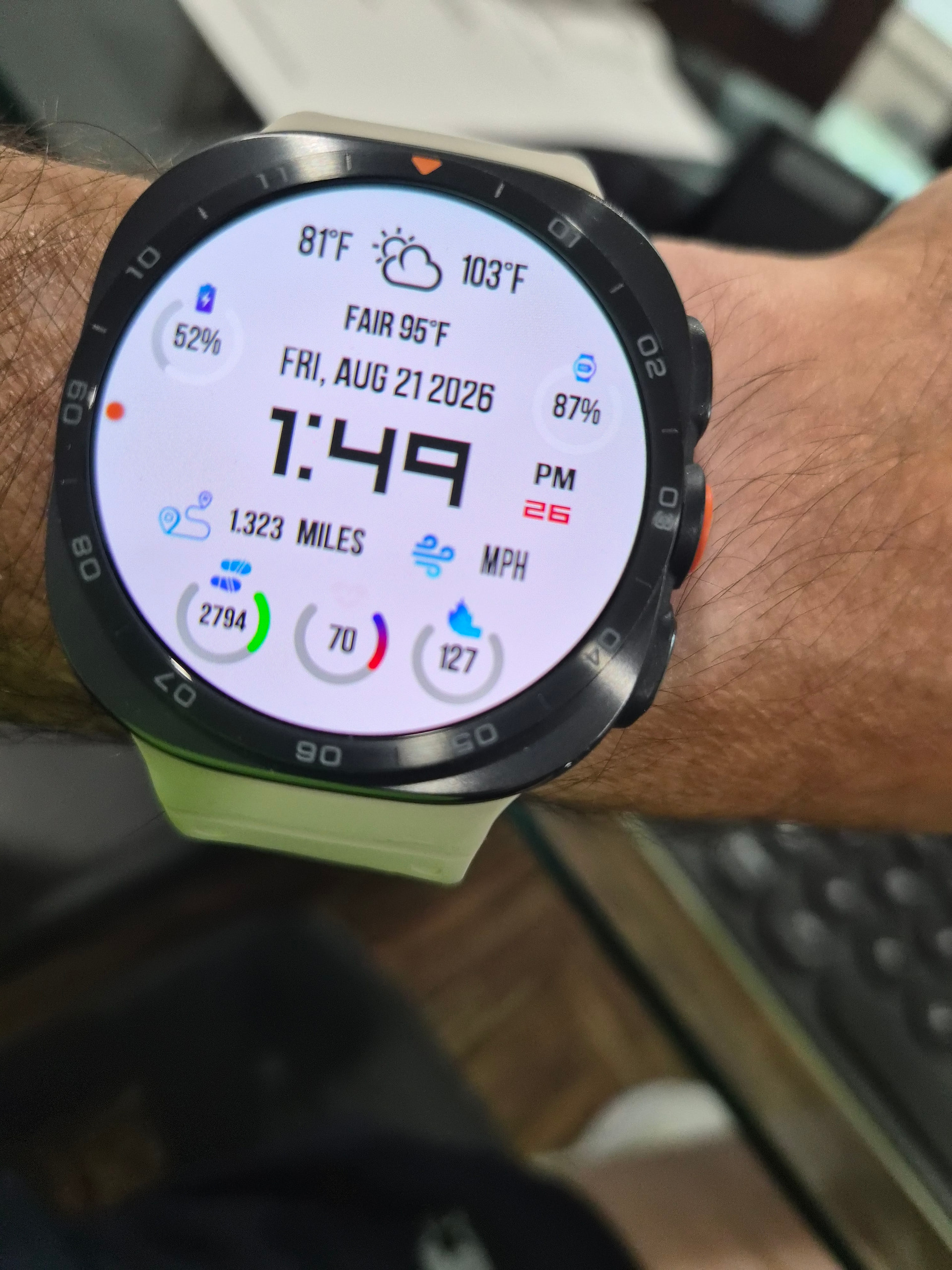
I have been trying to get my watch face working correctly on my Galaxy Watch Ultra2
1 - All my rings (watch battery, phone battery, steps count, heart rate and calories) are not changing the colors correctly. It shows all white or won’t show at all. Below a bit more information.
2 - Humidity doesn’t work
3 - Wind speed doesn’t work
I have research and now I only get the same answers. About the rings, there’s two options, start color and end color with an opacity option. When it tells me to put the formulas, it’s only mentioned “color”. So does it go in the start or end or both?
I am getting frustrated and any help would be appreciated.
I think it depends of what you intend them rings to look like. There are two color setting (start, end) for the “filled” portion which allows you to create color gradient within the ring. If you put both colors same, the whole ring will show just one flat color. Then there is third color option for the outer area, the one that is the remainder to total angle of the arc (something as a background), it has its own opacity setting.
If you want to change any of those colors with formula, then you have to put that formula in each color option you want to change.
I admit I did not expect it behave this way and personally would prefer if the end value would be attached to the other end fixed to total angle, not to the moving end of the filled area.
Unfortunately (its Google’s fault, btw) the new WFF watch face format that the newer Wear watches use do not support certain tags. They show a value in the Studio and on the phone, but will not function at all on the watch. If you list the layer Tag information (upper left “Tools”, then “Show All Tags”, then scroll down to the weather tags, you will see a little yellow caution icon, that says when clicked “Not supported in WFF” on wind speed and humidity tags. Also, for performance reasons, WFF gets its weather information from the phone, and if the phone is not supplying it, neither will WFF. The phone, for example, needs location to be turned on before the phone will retrieve the weather information.
As far as the colors go, please show us what formula(s) you are using, and in which property of what kind of layer.
Thank you! Unfortunately it doesn’t work. I have the following formula on both “start color” and “end color” and shows beautifully in the preview, but in the watch only shows a “white” circle.
This NOT my formula.
{bl} > 50 and string.format(“%.2xff00”, (100-{bl})5.1 or string.format(“ff%.2x00”, {bl}*5.1)
I have also tried {bl} <= 30 and ‘ff0000’ or ‘ffffff’ but doesn’t work as well.
I guess the first formula may cause problems on updated watches. The other one did not work for me even in preview. Maybe there is problem with “curly” apostrophes. I had to rewrite them to make the formula work at least in preview.
Unfortunately it doesn’t work. I have tried with ’ and " without success. But even if it works in preview, if it doesn’t translate to the watch irself than it’s also not workable.
You do not want to use the “curly” apostrophes. Use either simple single quotes or double quotes only. Note that when cutting/pasting code shown on this forum, the forum might convert the single quote to a curly quote, breaking the statement.
My color statement for {bl} follows, which works for me in the Studio, Phone and on my Samsung Watch Classsic 8 (Wear 8). However, there is a bug in WM using the phone’s battery level ({pbl}), for some reason.
({bl} == 100) and “000080” or ({bl} > 95) and “0000ff” or ({bl} > 90) and “0080ff” or ({bl} > 85) and “00b0ff” or ({bl} > 80) and “00ffff” or ({bl} > 70) and “00ff80” or ({bl} > 60) and “00ff00” or ({bl} > 50) and “c0ff00” or ({bl} > 40) and “ffff00” or ({bl} > 35) and “ffc000” or ({bl} > 25) and “ff8000” or ({bl} > 10) and “ff0000” or “800000”
One other thing, I have seen problems when using complex string.format statements. Unlike previous versions that passed the code to the Lua engine, WM now parses the string itself. It does not seem to like complex format statements, at least not yet.
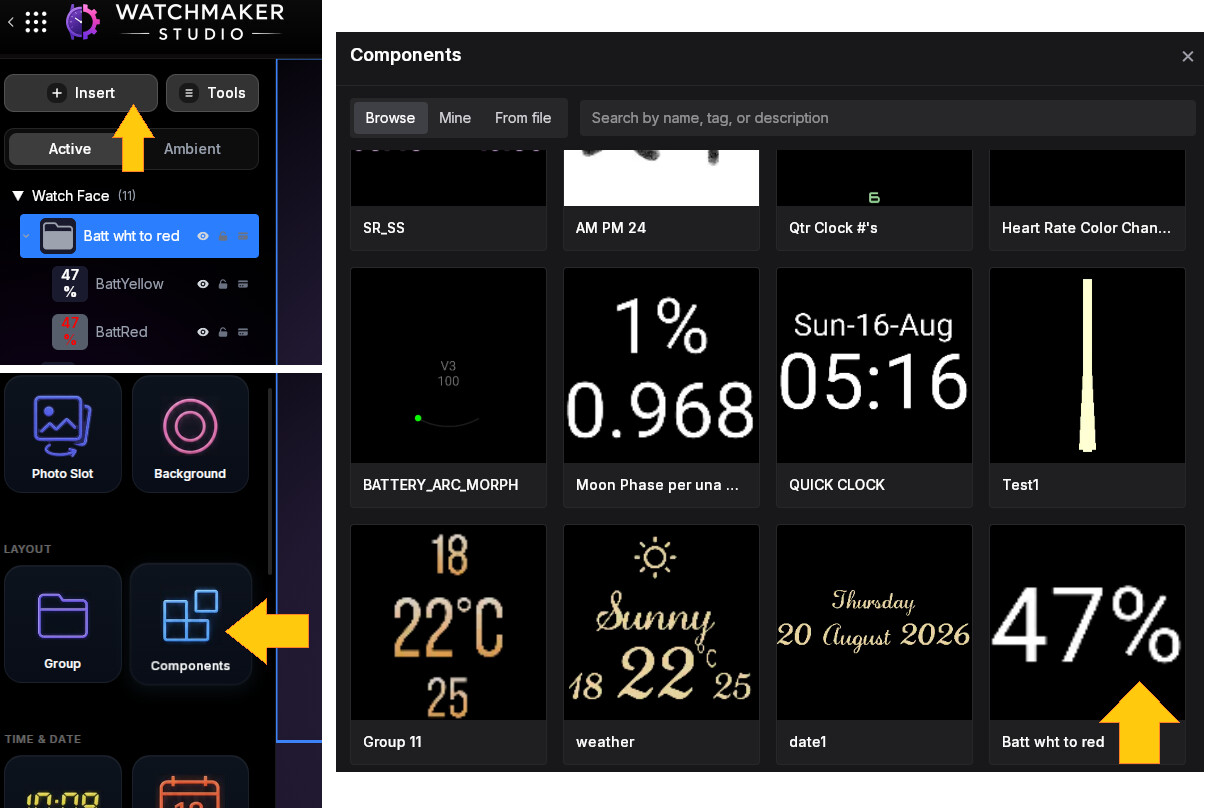
Thank you Peter! I will try the layer but I was hoping for the fill or the ring. I have 5 rings, 1 for watch battery, 1 for phone battery, 1 for steps, 1 for calories and 1 for heart rate. They all are giving me headaches
Now I see what you do. I think the preview image is generated from phone or even from the publishing proces, so it may use different decoding as the watch is forced to.
You can make similar stack of ring layers as I did with the text, just copy paste the formulas for opacity from my text layers to your rings. I only stitched those two together fast to test the function in general.
Among the published components you can also find my 3-layer fluent color change stack for battery level. Also done with texts, but the opacity formulas are transferable to different component type.
Btw. my general suggestion would be to invert the color scheme from black on white to white on black, but that is just my preference.
I have noticed problems in Watchmaker regarding certain tags in certain properties on certain types of layers. Could you specify exactly what type of layer is being used, and which property field you are using. This will help the WM staff isolate the problem (and I could also try to reproduce the problem).
I know WM has acknowledged issues with the Segment between property, for example.
This will explain why it works for some but not for others, as they are using different properties or different types of layers.
Coloring the text of a text field based on the {bl} tag works for me, you might try that out to ensure it also works for you.
1 - After the current WM update, I can’t even send the face to my galaxy watch ultra2. I have upgraded from my galaxy watch ultra.
2 - phone battery {pbl} and watch battery {bl}
3 - I have tried using 4 ring layers using different expressions in opacity for each color
Green - {bl} >= 75 and 100 or 0
Yellow - {bl} < 75 and {bl} >= 50 and 100 or 0
Red - {bl} < 50 and 100 or 0
4 - The option with 1 ring with 4 different colors expression inserted into start color and end color - {bl} < 25 and ‘ff0000’ or {bl} < 50 and ‘ff8000’ or {bl} < 75 and ‘ffff00’ or ‘00ff00’
5 - I have tried only the text color change, but I don’t remember if it worked because at that time, I was unable to send the face to my galaxy watch ultra.
6 - Rings for steps (4 rings with similar expression as battery but changing to {ssc} and hear rate {shr"} are also not working.
Thank you for your help, but WM is very frustrating now-a-days.
Please try the text color change on the watch, as we need to see if that is working for you. If not, then we need to look closer at your setup.
As I stated earlier, there are reported problems with certain type of layers and the contents of those layer’s properties. Again, I need to know exactly what your layer is defined as, so that I can attempt to reproduce it here. I need the complete property settings for that layer.
When I reported the Phone Battery problem, I published a basic watch face to demonstrate the problem. That watch face also had the working coloring for the watch battery. If you are a premium user, you could download that watch face and take a look. “aavh Basic”.
BTW - The problems that seem to be getting reported, on WFF type watches, is that a tag in a layer property has either an invalid value, or a default value that is not being updated. I just discovered a new one. Unfortunately, it seems the WM developer has gone radio silent currently. When he pops back up, I hope to be able to supply a list of those tags for him to look at.