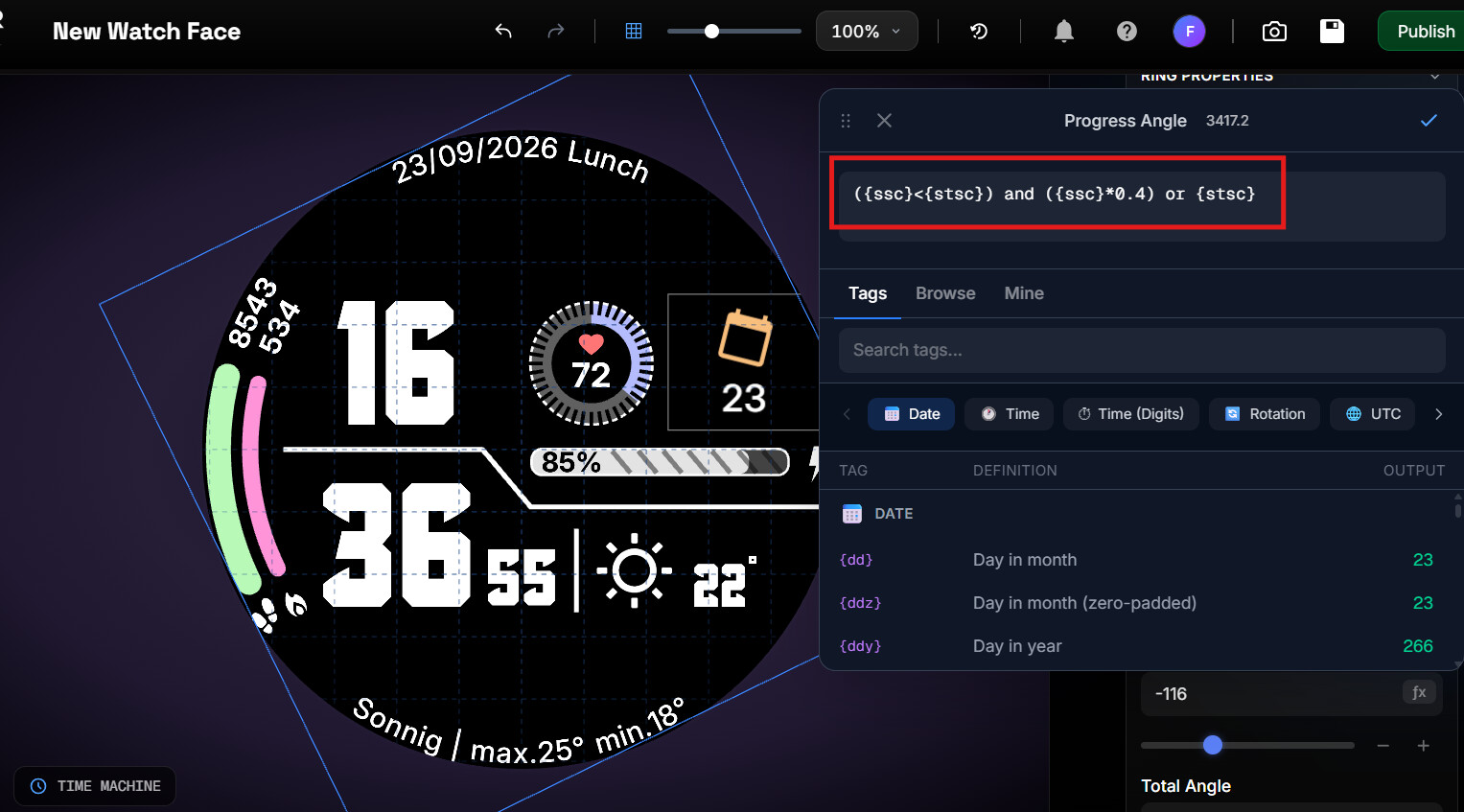
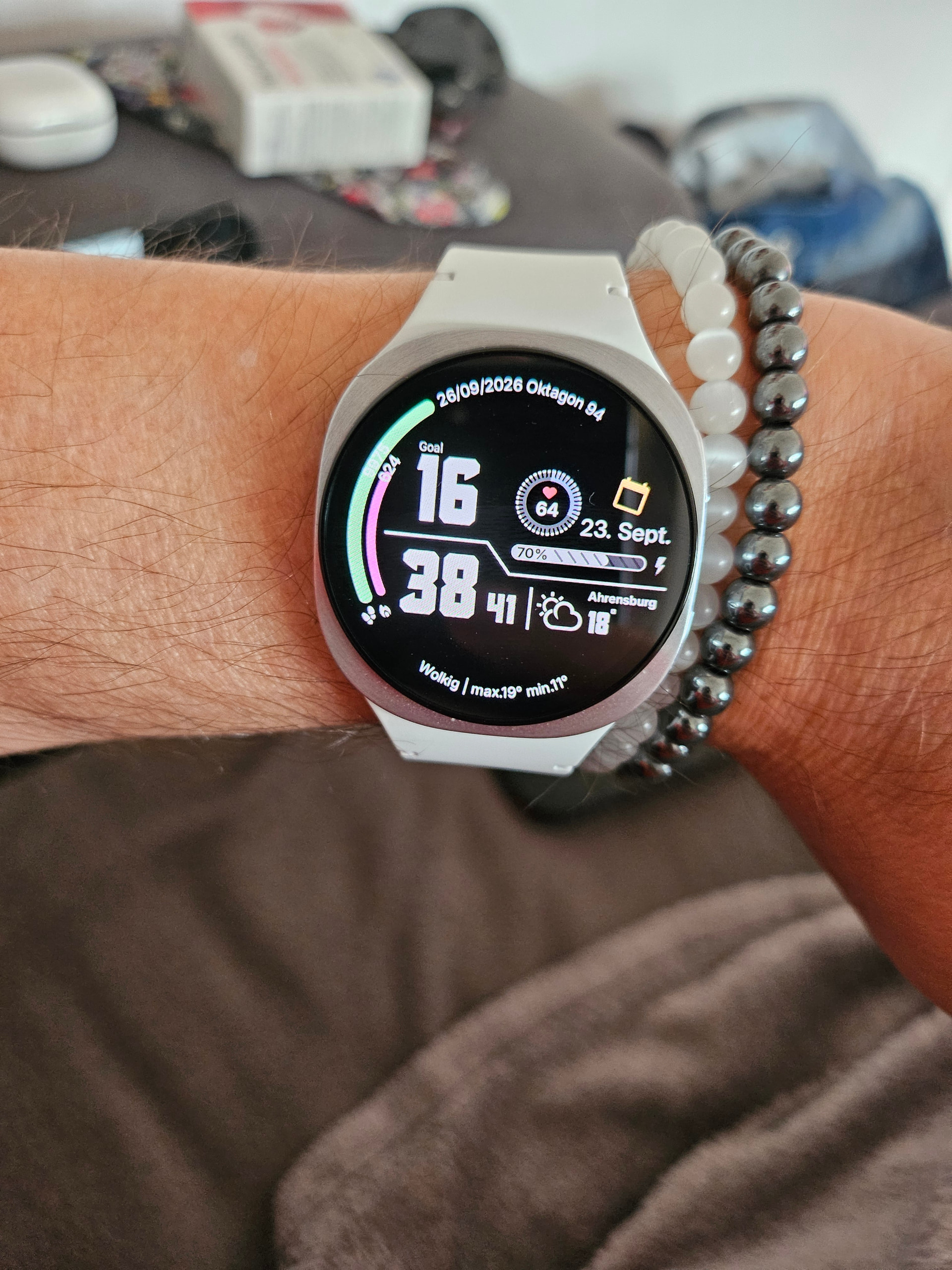
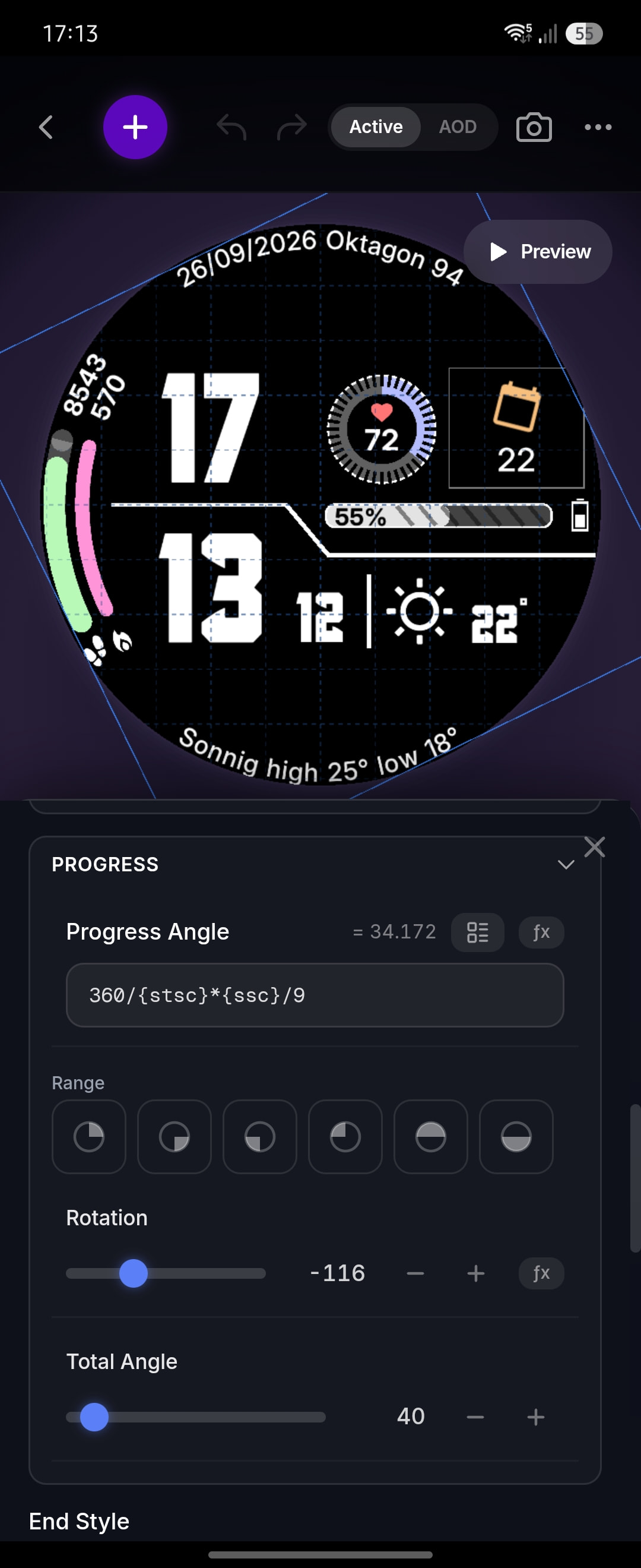
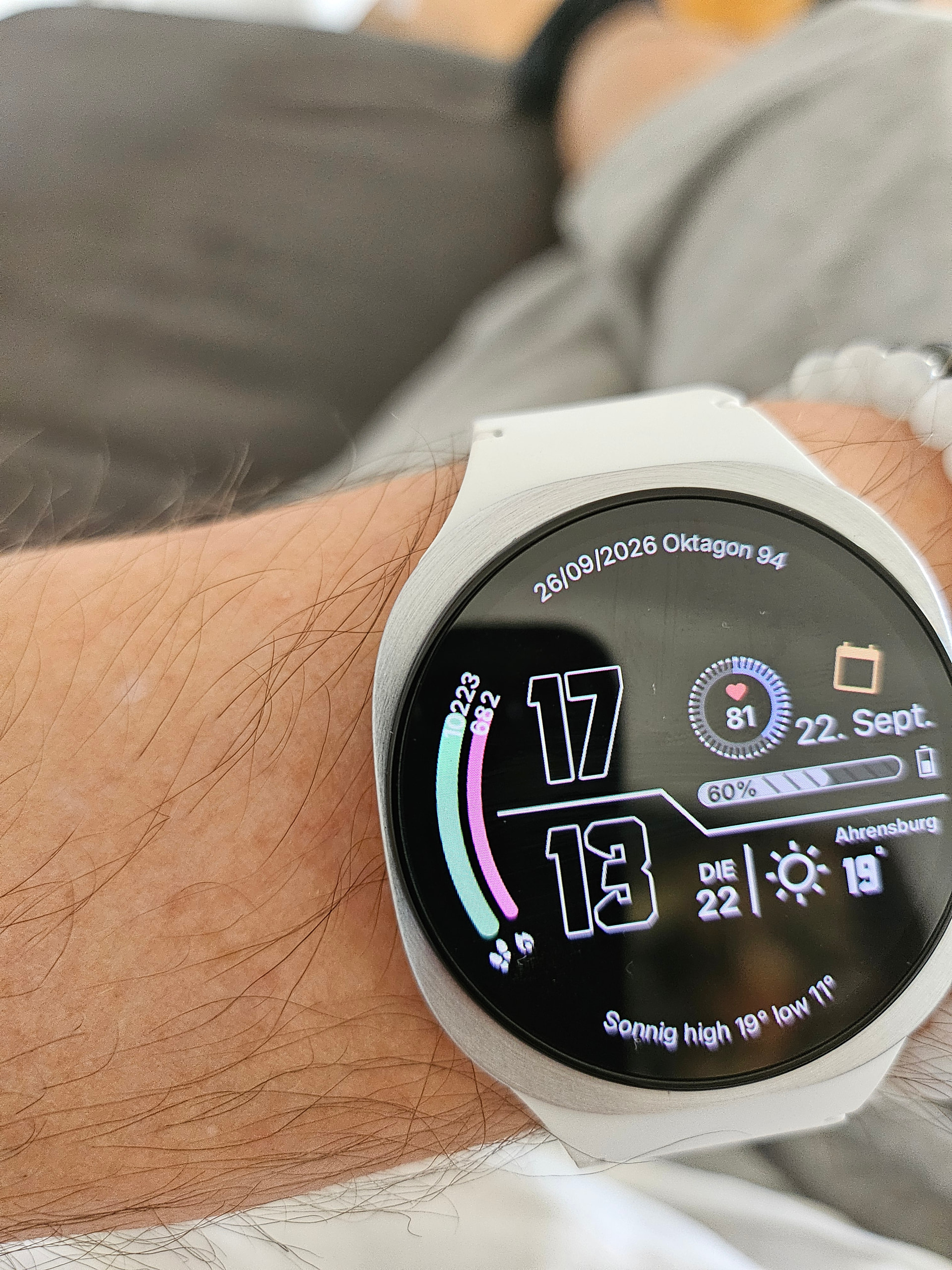
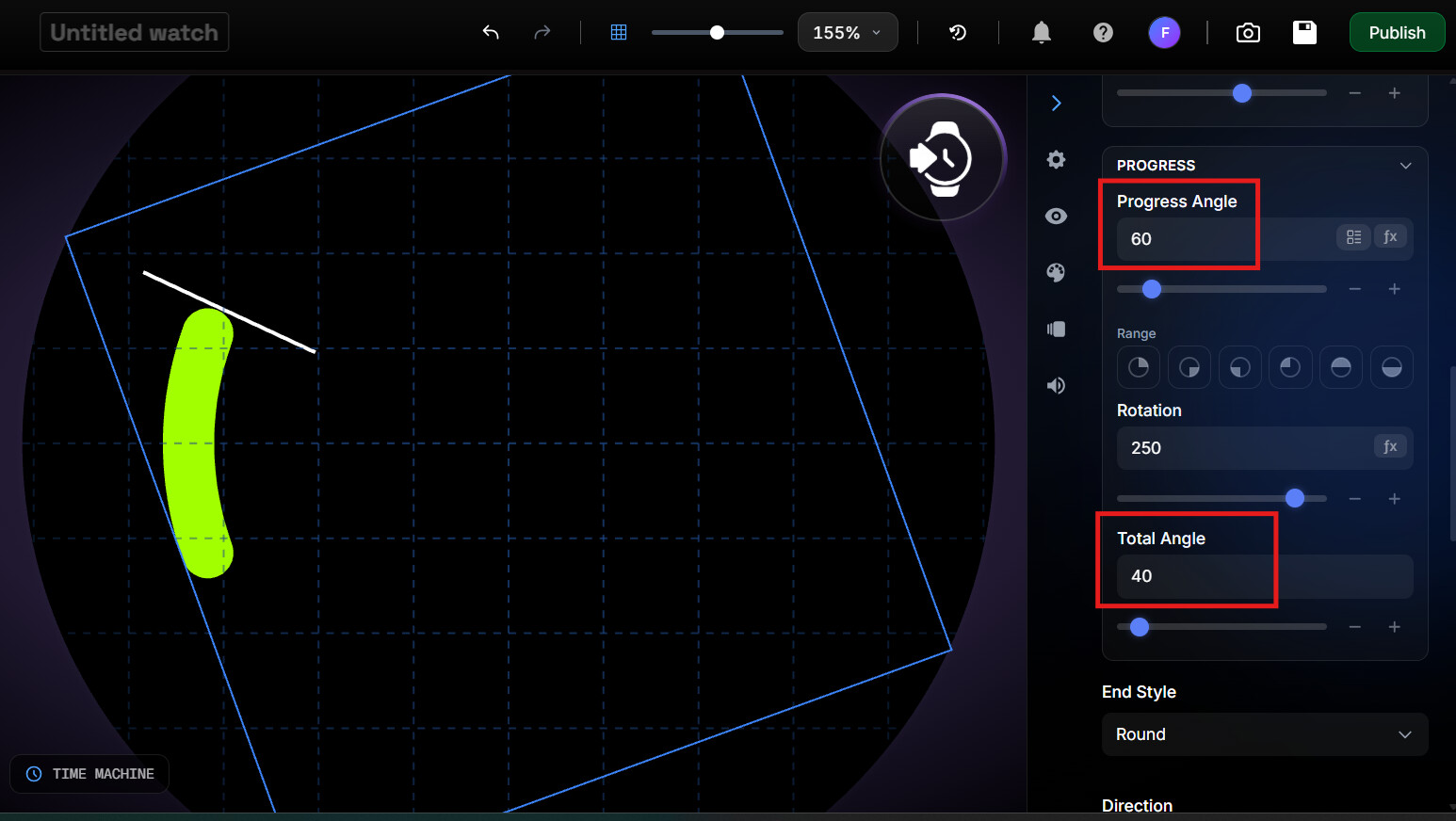
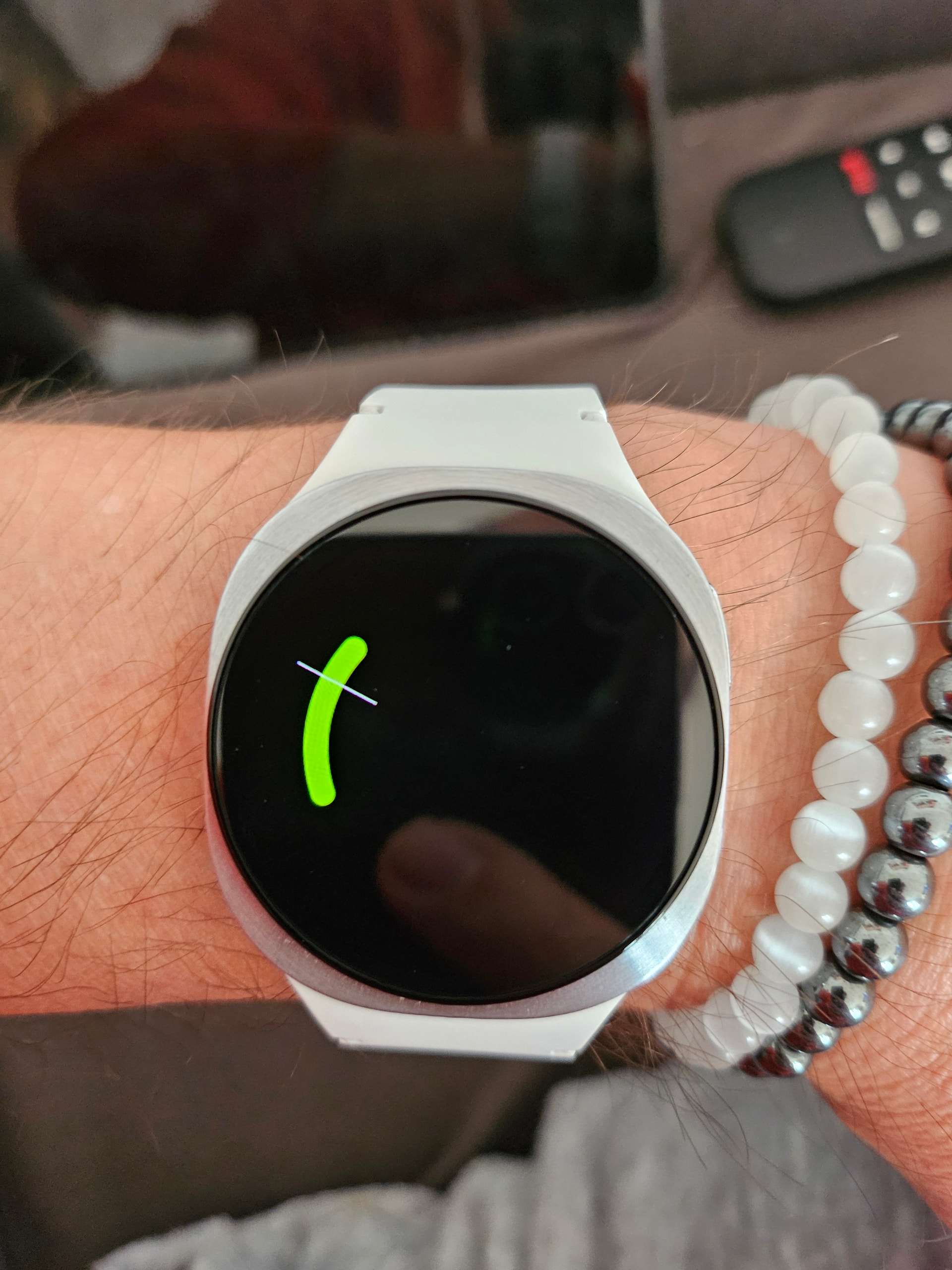
I have two rings on the left side for steps and calories. Both rings are limited to 40°. (see screenshot studio) However, if I exceed the limit for example, the 8.000 step target and go further the rings are going bigger beyond that 40° range (see the watch screenshot). I thought the size is limited by the total angle to 40°. Why is this happening?
You need to look at CLAMP for your formulas . I dont know if we have a steps goal tag . Clamp will stop the formula counting when it gets to 8,000 . I will have a look for the Goal TAG .
OK . This formula looks at the Steps goal set on the Phone . I am not thar=t familiar with LUA so I sometimes use an internet search to giv e me Formulas . So if you do not want to use the steps goal substitute {stsc} with your 8000 . Yeah . I am not exactly sure what you are doing withh your number s. You seem to be using Steps Goal . The trouble withthese formuals they have to be the correct Syntax from begining to end or they give nothing .
. math.min(80,({ssc}/{stsc})*80)
.
Try this and get back if you get stuck .
Ha Ha . I see your angle is 40 not *) . I am sure you can adjust the formula .
.
I think your arc is a bit bigger than 40 degrees .
.
If you want the progress bar to stop developing, once the goal is exceeded, you need to use some function that limits the output of the comparison of the actual value to goal
The documentation is not clear whether all the old LUA functions work, but you may try one of these:
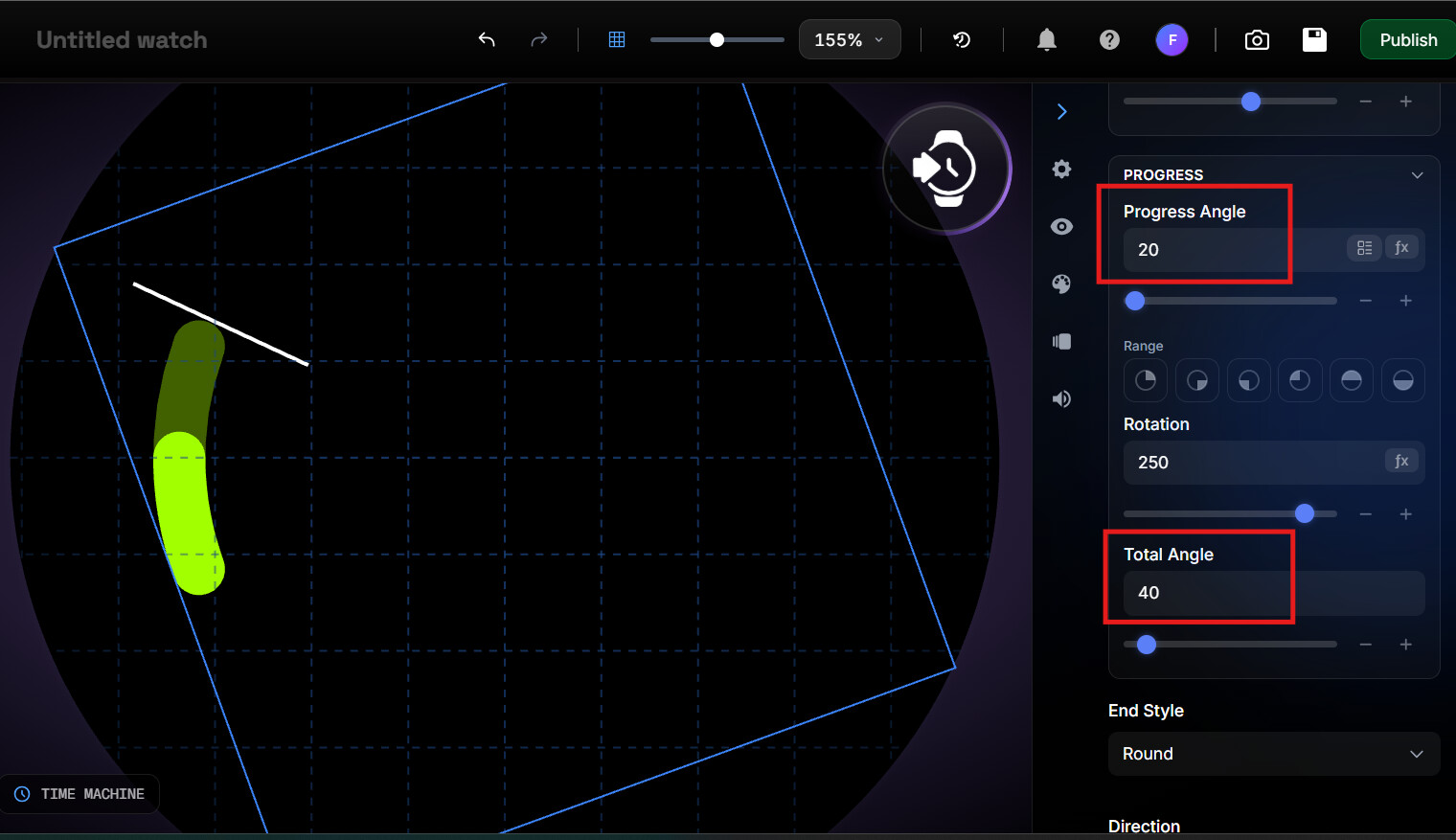
Now comes the interesting part. In this pic I increased the Progress angle to 60. Total angle is still 40. You can see the Total angle limits the graphic. The ring does not cross the line.
This is the problem. For me it looks like a bug but maybe you have an idea where I made a mistake. I hope everything is clear because my english is not the best
I would substitute “({ssc}%8000)” (which is step count mod 8000) for “{ssc}” in your formula, which simply restarts the progress indicator. I then adjust the color of the ring:
color: {ssc} <= 8000 and “00ff00” or “ff0000”
Knowing how much I have exceeded my step goal encourages me to keep going .
Sorry . You will have to remind me about the problem in post 6 . In my experiance if it works it is not a work around . You will find in due course that Peter is a Master . He does not like me saying that because like any true Master his humility preceds him / her . There are many changes going on and LUA is a new syntax to me . Stuff that worked in the previous Watchmakes does not now bwcause Google changed the Game . We are all adapting and making it work .
I have looked again at the Problem in Post 6 . We have lots of things that are different on a watch from Studio . But you were testing beyond the task of the Layer . With the simple Formula you are not pushing the boundries . I am certan that Alex will address the issue in due course . He has much to do .
I hope I haven’t upset anyone here. I am very glad to get such good help. I just wanted to point out that the “Target Angle” function worked in the past differently. It was used to limit the maximum angle, but now it doesn’t. Ideally, the Studio should work in such a way that what you see there appears exactly the same way on the watch face. The issue mentioned in post #6 has nothing to do with Lua. I hope you understand what I mean.
That’s why I suggested it might be a bug. If it’s due to the new Google rules, then perhaps it can’t be changed.
I have noticed on this Forum that there is not many upsets . Sometimes there is Misunderstanding . Yes there are a few cracks where it is different watch to studio . Lerning them all is not easy .
Hi @Jmc1876 . Good to see you here . You formula does not account for the steps goal which is a variable . The major issue is the progress ring over runs on the watch when the Count is greater than the Goal but not in Studio simulation .
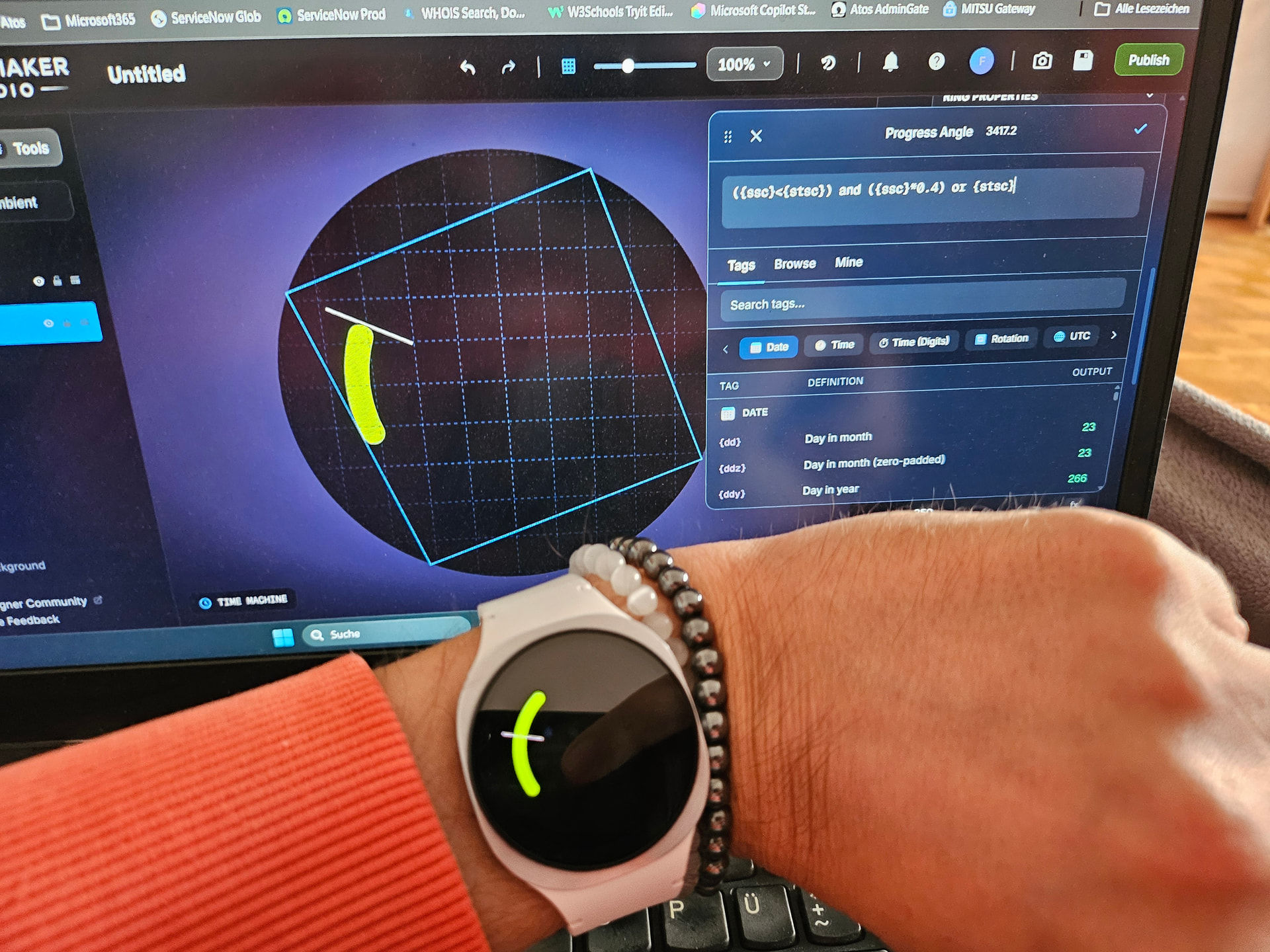
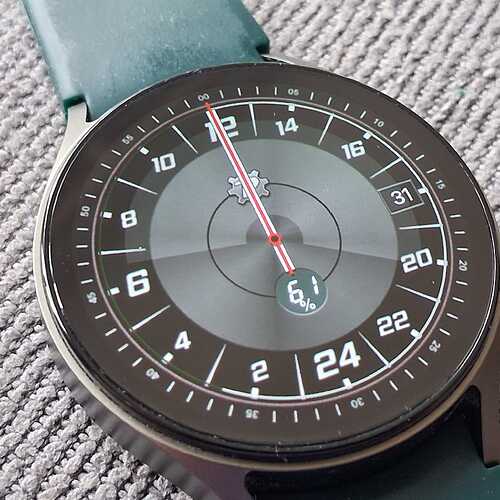
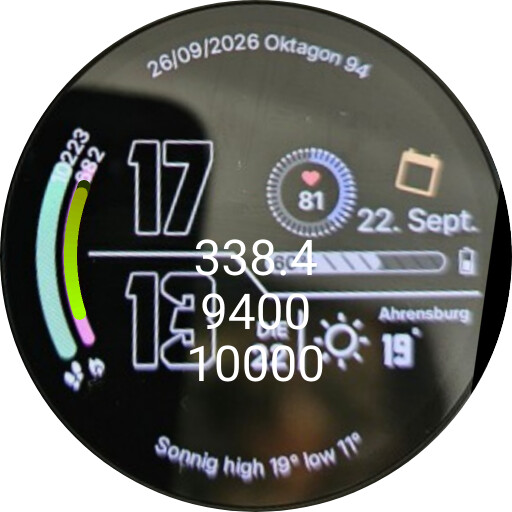
The problem with rings is that they in general look different on studio than on watch. Not just by how they fill but also in the radius, I guess you remember this example:

 .
.