Hi. Didnt know exactly where i was going to put this. New to this watchface making  I have a galaxy watch 6 classic. I created a watchface a few days ago and it worked just fine on my watch. And i have just created a new watchface, but the clock and date isnt showing on my watch. I have also tried to use the same codes on the new face as i did on the first face i made. What can be the problem?
Welcome @kallepMh8 . Peretty smart work for a Newbie . Straight into Grouping etc . Obviously you know you posted the Face Inspectable . So we can look inside it . I guess you are talking about the Hello Kitty one . I will sync it and see . I had a quick look and all looks good .
thanks  And thanks for the fast reply. So everything works fine on your watch? What can be the problem then?
Just looking at it now .
OK . Ha Ha . I see math.random we dont have that in Watchmaker as far as I know . I am just going to see if that is the issue . Ypu can do a flash fade without using random .
Not sure if i understand what you mean. English isnt my main language I am Norwegian. Any chance you can fix the face and then let me know? I have even tried to take the codes from the Audi face i made and put them into the hello kitty face. But that didnt work either.
OK . To put it in a simple way . The formula you have for the opacity of the Text is causing the issue . I stops the Text from showing . Change them for now to just 100 . Then we can work on a formula to give you some sort of flashing . I presume that is what the 100 + math.random(-5, 5) formula was supposed to be doing .
aaha. Thnx. How can i make it so that it gets a flashing effect? And is there any place i can find a list of codes/formulas which is regularly used on WM? I have been asking google AI when making these two faces.
And where can i find more components like heart rate and all those?
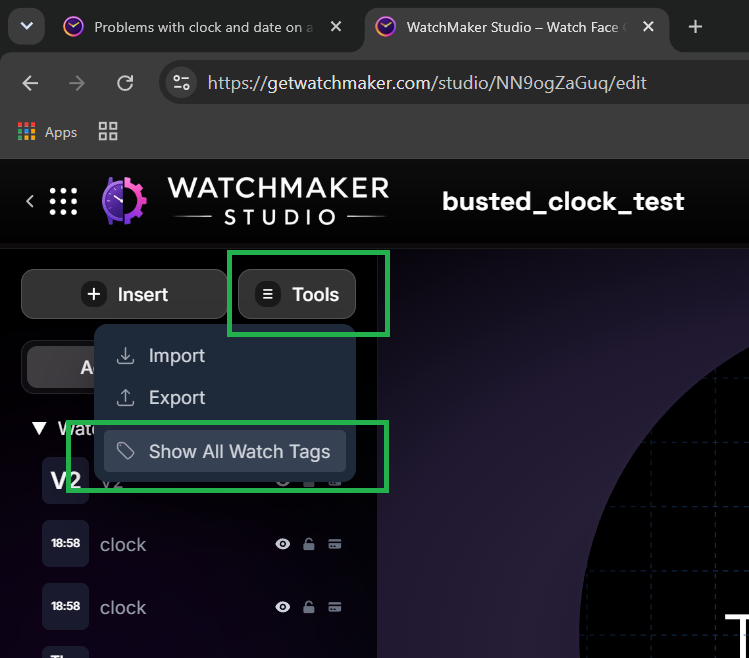
Thnx. What about other components and so like heart rate, steps and battery indicators? I could only find one in the WM studio.
You have already used heart rate , steps and Battery Tags in your First watch . If you want to make a different kind of indicatoor you must say which .
Yes i know i have. But i was thinking of other heart rate, steps and battery tags which looks different than those few i can find on WM studio. I can only find 1 heart rate monitor/indicator. I would like to find somewhere i can use different styles and so. If you understand what i mean?
You can easily use the Heart rate Tag to rotate a Hand or a Progress bar . Circular or Rectangular .
@kallepMh8 . This will give you a flashing in the opacity . Manipulated Milliseconds count . Play with the numbers to see what happens .
((({dss})/4)%66)
Ok. Thnx so much for the help and pointers.
math.random is supported. The problem is that it isn’t updated. In the editor, tap the little ‘fx’ button and type:
math.random(-5,5)
and look at the display above the area you are typing. It will display a random number. Then add 3 dots to the end to get:
math.random(-5,5)…
and then immediately delete those dots again. This forces a recalculation of the text field contents, and the new value is now visible in the area above.
Short video here:
Hey . OK I did see math.random on Studio . I saw that it changed swapping from normal to ambient and back . When I remove it from my test it showed the line . I just assumed it caused the error on the watch . I will further test it .
.
BTW . math.random(-5,5) in a text Layer just shows false on my watch .