Export color palette (like components export) for later import to watch face (replace or append to existing palette). maybe usefull and for sure a good feature.
i ment a complete export of whole defined palette
It does do a complete export.
Maybe I am not understanding you
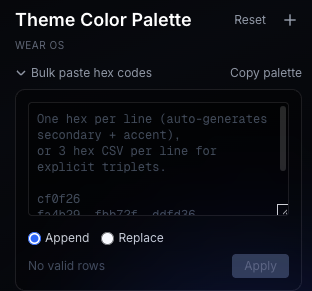
E.g. The Copy palette will put into clipboard all of the current watch face Themes
Then, you can amend them as you need, and paste the contents into the Bulk pate hex codes box and select append or replace and then Apply button. You can obviously paste this into another watch face too. I use this all the time.
// Crimson
cf0f26, a8174b, 7b2d8b
// Sunset
fa4b29, fbb72f, ddfd36
// Coral
f76d48, e84393, 6c5ce7
// Blush
f0b5af, f2d9b5, eff4bc
// Earth
a9805f, aeaa62, 90b266
// Gold
d8be11, 95e210, 2bec0e
// Lime
8ce329, 2ecc71, 1abc9c
// Forest
228048, 23887e, 236590
// Emerald
01381f, 013f41, 01234a
// Mint
97cfc6, 9cc0d3, a0a9d7
// Ocean
12aff6, 1842f8, 641ffa
// Midnight
5a7eb8, 695ebd, 9d62c1
// Royal
9173f3, d57af5, f780db
// Neon
be06ec, f704ae, fd0638
// Rose
e006b4, ea0449, f43202
// Monochrome
d4d4d4, aba9a9, 808080
// Steel
151515, 413f3f, 6e6767
ok i see… that solution is also ok… export, import would be easier … but that also works great. thx for explanation.
The good thing about the current method is that you can change the colour palette outside of Watchmaker. Use AI to generate a nice palette for example, and then paste them back in.The export/import would limit you to always creating the palette first in watchmaker, which is slower.
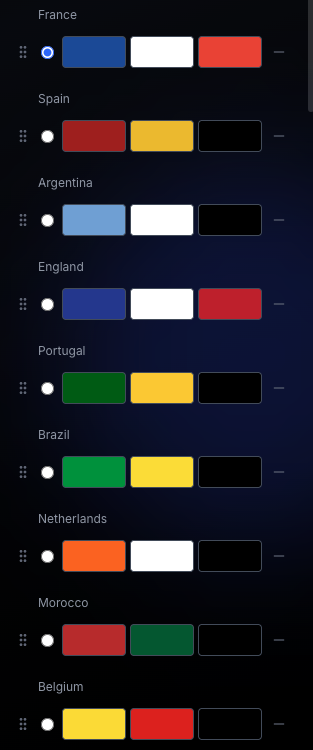
I used this to quickly create a palette of 48 World Cup Teams… would have taken much longer doing it manually.