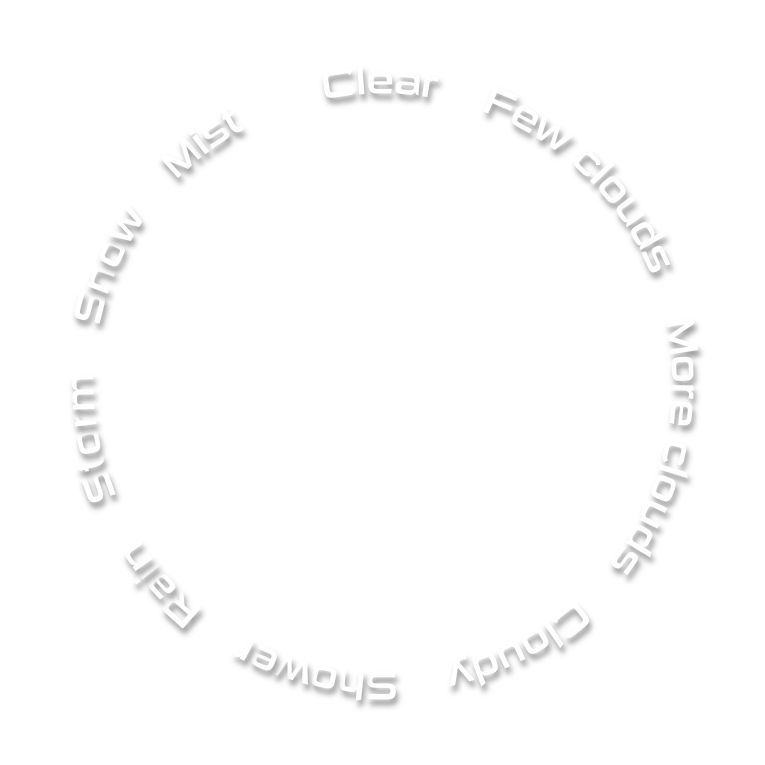
How you mapping all 15 weather conditions to 9 condition dial? Are you doubling up on some of the condtions? Are there only 9 weather conditions available in the WatchMaker Studio? I’m a WFS guy, so I don’t really know.
I do not think there would be 15 conditions in WatchMaker Studio, at least in the preview settings there are only 9 preview able presets. Tag {wc} then returns numbers from 1 to 9 accordingly, while tag {wci} returns some codes like 01d (sunny) to 50d (fog). I am not sure which tag still works with WFF now, but the dial above I shared in other platform forum 2 ½ years ago, when we had no clue how WFF breaks things. Also note the words are not spread evenly because of their uneven length. The expression for pointer rotation would be like 9 conditions stitched together.
Check out the other recent thread that references the {wci} tag. It will explain what is going on (last post). It also documents the possible values of {wci}, along with their meaning.
I use the following “select Index” script to better handle the disconnect between the new {wci} values and the former values:
{wci} == “01d” and 1 or {wci} == 1 and 1 or {wci} == 2 and 9 or {wci} == 3 and 9 or {wci} == 4 and 6 or {wci} == 5 and 8 or {wci} == 6 and 5 or {wci} == 7 and 8 or {wci} == 8 and 1 or {wci} == 9 and 7 or {wci} == 10 and 6 or {wci} == 11 and 8 or {wci} == 12 and 5 or {wci} == 13 and 5 or {wci} == 14 and 4 or {wci} == 15 and 1 or 1
Sorry I do not understand it. According preview the {wc} tag returns digits from 1 to 9 in the order how are the conditions on the dial (as they go also trough the 9 premade icon sets).
The {wci} is mystery for me, because in preview it shows the NWS codes, while you say it also shows the digits from the WFF 15 conditions list on watch.
As I described in the other thread, Watchmaker now uses two different weather providers, the National Weather Service for the phone and web (and defaults the conditions), and the WFF’s weather provider for the watch. So you will see different values for {wci} and {wc} when looking on the phone/web vs on the watch itself. The condition expression I gave has the first test look for the value that would be seen on the phone/web so that a valid icon will be selected there. The rest of the expression deals with the values only seen on the watch.
And yes, its very complicated. Which is probably why it took me 3 days to figure it out.