“Countdown: " .. math.floor((os.time({year=2027, month=4, day=17, hour=0, min=0, sec=0}) - os.time()) / 86400) .. " Days”
When its on face it Shows FALSE 0 but on maker it shows the days how do i fix it on watch itself?
It’s probably the os.time that’s throwing it off. Try depoch instead:
math.floor((1807941600 - {depoch}) / 86400) .. " Days"
Should i just use this or does this need to be placed somewhere as well?
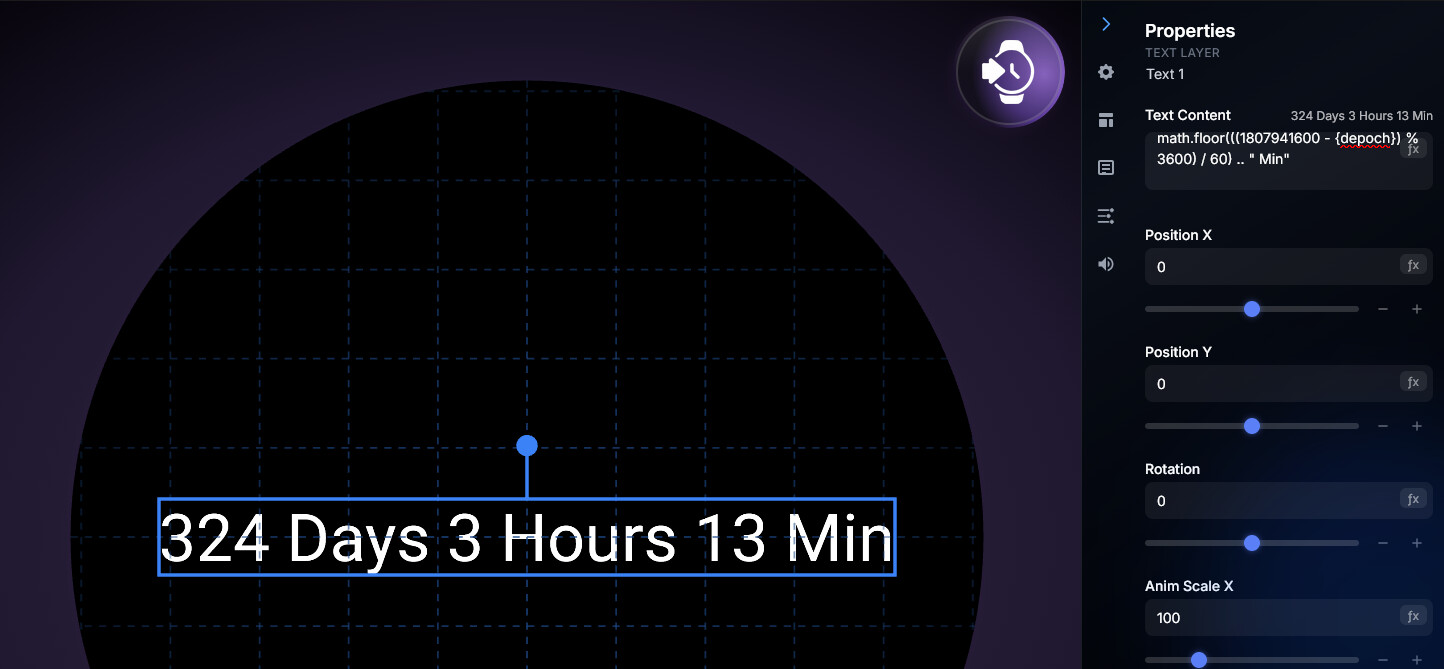
seems to work, Is there away to use the formate and have it do Days hours and mins as well?
Yeah, you can do something like this in the text field formula:
math.floor((1807941600 - {depoch}) / 86400) .. " Days " ..
math.floor(((1807941600 - {depoch}) % 86400) / 3600) .. " Hours " ..
math.floor(((1807941600 - {depoch}) % 3600) / 60) .. " Min"
Btw, the 1807941600 number is a Unix epoch timestamp. An easy way to get that: https://www.epochconverter.com/
Im not good at inputing codes like that can you do fully copy and past so all i got to do is copy and past it on my watch? Im more of making watch faces not a countdown one..the Countdown one is only for my facebook group to use for Thunder
thanks looks like its working