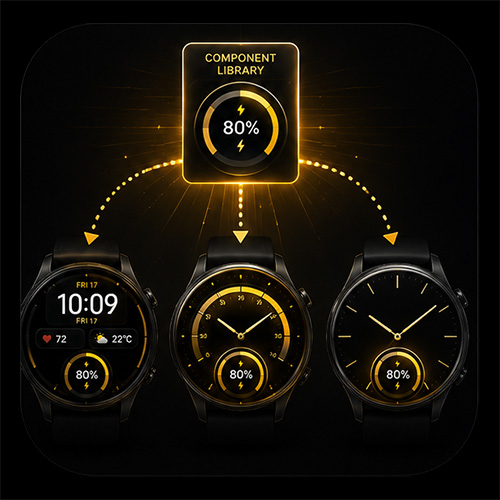
You can now save reusable layer groups from any watch face and drop them straight into another design.
This is great for things like battery indicators, gauges, weather blocks, date layouts, complications, decorative elements, and any other grouped design you want to reuse.
You can:
Save reusable components from any face
Drop components into another design
Publish components to the shared library
Save components as a file
Share components with the community
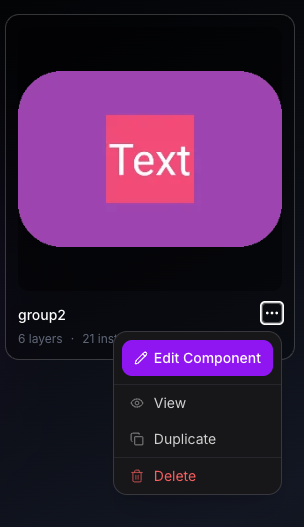
Edit or duplicate published components from your Studio list
This works best on desktop, especially when managing larger layer groups.
It should make building new faces much faster — create once, reuse anywhere.
Component export/import feels like a really smart addition to WatchMaker. Being able to save a reusable layer group from one face and drop it straight into another is going to make building new designs so much faster — especially for things like battery indicators, gauges, weather blocks, date layouts, and other elements we keep recreating from scratch.
Huge credit to the developer for getting this released. It’s exactly the kind of practical, creator-focused feature that makes WatchMaker so powerful. Even though it’s only just launched, it already feels like one of those updates that could become part of everyone’s normal workflow.
Really excited to see how people use it and what components the community starts sharing. WatchMaker keeps getting better — brilliant work.
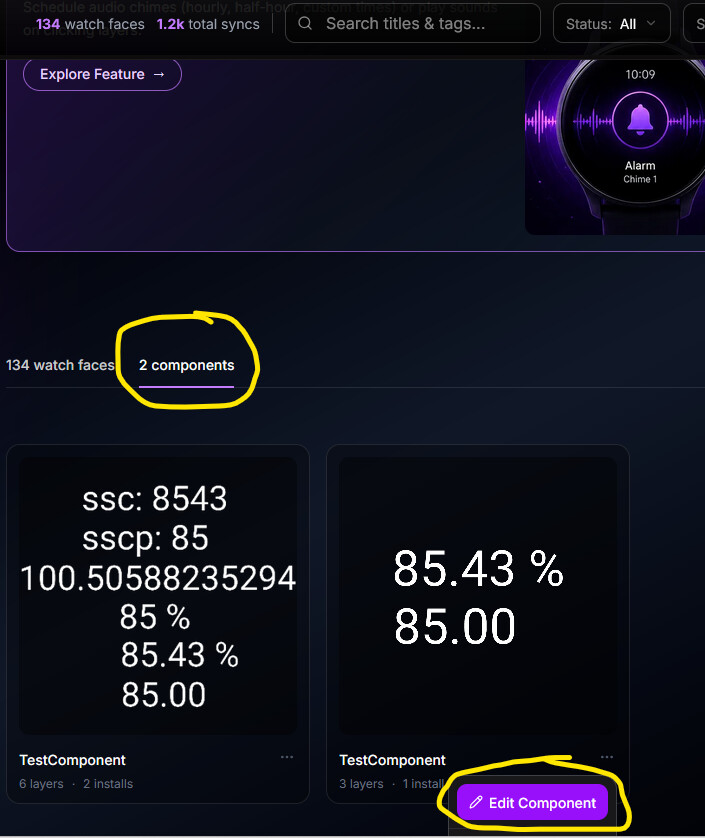
it works great and the posibility to export and import components to other faces is a really great feature. would it be posible to be able to delete components? i created several components for testing but can’t delete them anymore. thx
no chance … i see only Edit Component… i can’t scroll down … it is the end of the page …maybe the scrollbar doesn’t expand when dropping down the menu of component, or it is only visible for admin ? i use firefox and also in edge …same. NO DELETE
I have tried to edit a Component I posted becaus it seemed to stop working as it did originaly . I can not see the change yet . I did add a Version number to the display so it is easy to check . I wonder how long it takes to get to the server and back ?
It should be immediate. Since it is text, your browser might have the original version cached within your browser cache, and the browser does not know that is needs to refresh it. If this theory is true, clearing your browser cache should fix this.