you need to have latest version installed on phone and watch
your phone app needs to give Health Connect permissions - you can trigger this permission by sending watchface with steps or launching the Health Dashboard from WatchMaker app on watch
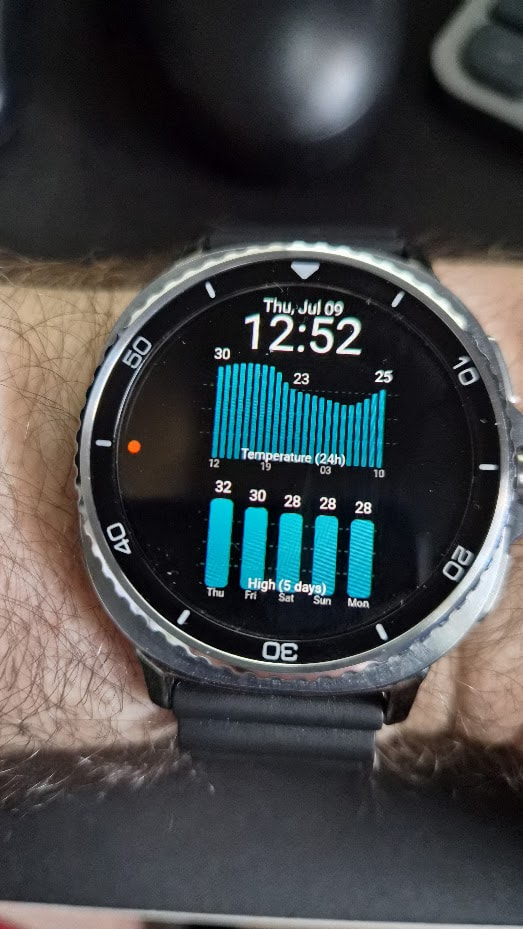
10.2.7 is installed. heartrate chart works fine but “high (5 days)”, “low (5 days)” … as datasource not. watch displays “no weather data yet, Open WatchMaker on your phone”
I have tested the weather dashboard on my watch and it is working for me.
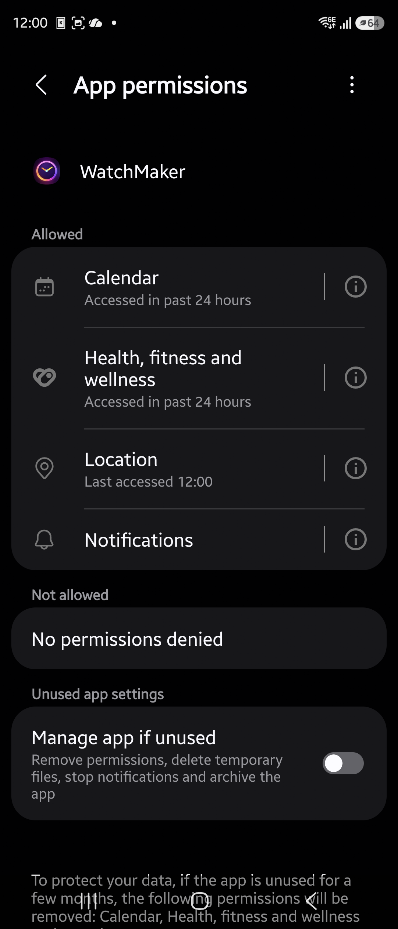
Can you check the Watch Maker App permissions on your mobile.
Open App info > Tap and hold the Watchmaker icon on phone, then click the “i”, that should open the Android App info
Then select “Permissions” and check you have allowed whats needed.
On Watch, Swipe UP from bottom to open apps > open watchmaker app.
Then scroll down and you will see Weather, Health, Settings.. check those are working ok for you (requires 10.2.7 on both phone and watch).
Try open stock samsung watchface that has weather on it.
Try open Weather app on watch and phone
Then open the watchmaker face again.
When you open the Watchmaker app on watch what do you see in the Weather section? On mine it shows 3 dashboards, temperature with sunrise/set, Temp next 12 hours line chart, Next 5 days Chart
you need to trigger the location permission on your phone for this to work (it is sent from phone to watch)
find any watchface with weather and send to watch to trigger the location permission
alternatively open weather dashboard on watch to see if it will trigger location permission on phone
For weather to work, your watch needs to receive your location from your phone.
Have you tried sending the watch face from the WatchMaker phone app? Doing that will usually prompt Android to request the necessary location permissions if they haven’t already been granted.
It’s generally better to send the watch face from the phone rather than from the desktop app, as the phone can request and pass the required permissions to the watch.
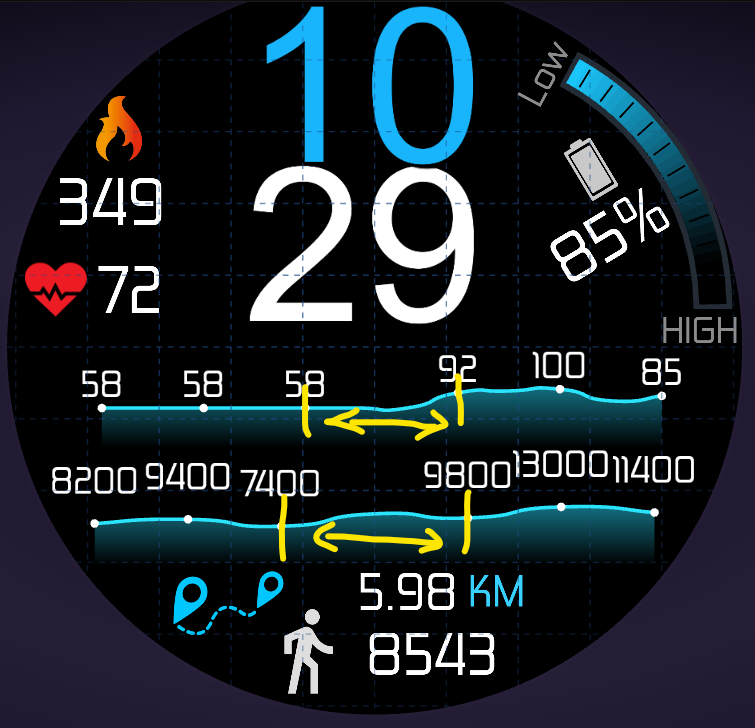
1.) how do you calculate the distance between markers? seems that you position them from left and right. but they should have same distance. correct would be distance between markers = width of chart / (count markers -1 )
makes sense or not ?
2.) how to implement e.g. 6 hours Step Line Chart instead of 12 hours? now the 12 hours line is shown althoug i only want to show 6 hours values. i can reduce to 6 markres and labels … but the line is anyway for 12 hours. the problem is that there is not enough space to show all 12 values. so i want to reduce to 6 hours
3.) weather tags are working fine. if i add a tap action “weather dashboard” to e.g. weather icon i get following message => no weather data yet. Open WatchMaker on your phone
 Charts
 Series
 Calendar