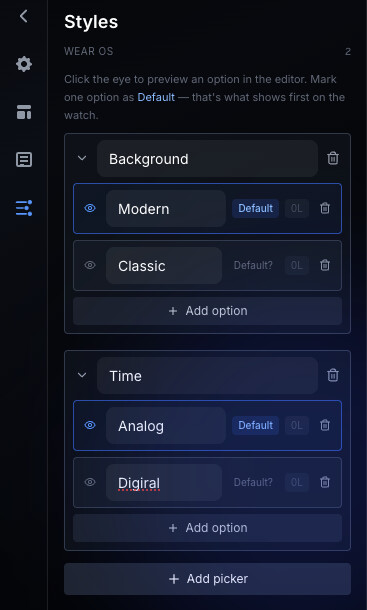
Wearers love choice. Designers hate maintaining five copies of the same face. Styles fixes both.
In Studio, you can now define multiple Styles for a single watch face — named pickers like Background, Hands, Markers or Theme. Inside each picker, add options like Classic / Modern, Analog / Digital, Numbers / Ticks, then tag layers to the options they belong to.
On Wear OS, the wearer gets a native customisation menu directly on the watch. Pick a style, and the face redraws instantly.
A few things worth knowing:
-
Pickers are independent. Three pickers with two options each = eight visual permutations from a single face.
-
Layers can belong to multiple options at once. Tag a layer in Background → Modern and Theme → Dark, and it only appears when both are selected.
-
Untagged layers always remain visible — perfect for shared elements like bezels, hands or complications.
-
Native WFF support. Everything runs directly on the watch with no companion-app round trip and no extra battery overhead.
Available now in WatchMaker Studio on desktop and mobile.
Wear OS only for now — this uses the native customisation system built into Watch Face Format.